

Just 5 days after I proudly launched my new portfolio website (built entirely with Hugo) and put my real email address on the contact page. And then my inbox got destroyed by a bunch of spam emails every day.
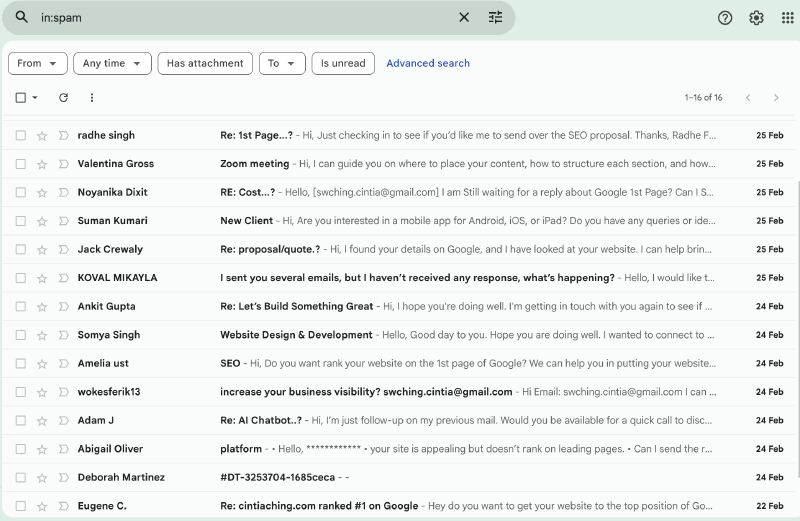
Turns out bots are crawling the web non-stop, scraping every email address they find and selling the lists to spammers As a total newbie to public web deployment, this was my first real “ouch” moment.
My Initial (Terrible) Idea#
I actually thought: “what if I publish all these spam email addresses on my blog? Let the bots crawl them and spam each other instead”
But then I Grok’ed it and realised that it could get me into trouble. Coz email addresses are personal data. Publishing them without consent can get you in possible legal headaches. Even if they’re spammers, it’s not worth the risk.
The Proper Fix#
No more visible email address on the site. I replaced it with a clean contact form using Web3Forms (100% free for personal use, no backend needed, submissions go straight to my email).
I can add a honeypot field that traps bots, and I can add CAPTCHA anytime for extra safety.
Since my whole site is Hugo (static + super fast), here is the exact step-by-step I followed. It took me ~25 minutes total.
Step-by-Step: Add a Spam-Proof Contact Form to Hugo with Web3Forms#
Get your Web3Forms Access Key#
- Go to https://app.web3forms.com
- Sign up with your email (instant).
- Copy your Access Key.
The free plan is providing 250 submissions per month for unlimited forms. As a small potatos, I don’t suppose I would go over the limit.
Add the key to your Hugo config#
In hugo.toml, or in my case params.toml, coz I am using the Blowfish theme:
[web3forms]
  access_key = "YOUR_ACCESS_KEY_HERE"
Create the Partial#
File: layouts/partials/contact-form.html
{{ $access_key := .access_key | default .Site.Params.web3forms.access_key }}

{{ if not $access_key }}
  <p style="color: red; font-weight: bold;">❌ Web3Forms access key is missing.<br>
  Add it to hugo.toml or pass it to the shortcode.</p>
{{ else }}

<form action="https://api.web3forms.com/submit" method="POST" class="contact-form">
  <!-- Required hidden field -->
  <input type="hidden" name="access_key" value="{{ $access_key }}">

  <!-- Official Web3Forms honeypot: hidden checkbox -->
  <!-- Bots often check all checkboxes; humans won't see it -->
  <input type="checkbox" name="botcheck" class="hidden" style="display: none;">

  <!-- Extra honeypot – some bots love filling "website" fields -->
  <div style="display: none;">
    <label for="website">Website (leave empty)</label>
    <input type="text" id="website" name="website" tabindex="-1" autocomplete="off">
  </div>

  <!-- Optional: redirect after success -->
  {{ with .redirect }}
  <input type="hidden" name="redirect" value="{{ . }}">
  {{ end }}

  <div class="form-group">
    <label for="name">Your Name</label>
    <input type="text" id="name" name="name" placeholder="John Doe" required>
  </div>

  <div class="form-group">
    <label for="email">Email Address</label>
    <input type="email" id="email" name="email" placeholder="you@example.com" required>
  </div>

  <div class="form-group">
    <label for="subject">Subject</label>
    <input type="text" id="subject" name="subject" placeholder="Hello from your website" value="New message from website">
  </div>

  <div class="form-group">
    <label for="message">Message</label>
    <textarea id="message" name="message" rows="6" placeholder="Your message here..." required></textarea>
  </div>

  <button type="submit" class="submit-btn">Send Message</button>
</form>

{{ end }}
Create the Shortcode#
File: layouts/shortcodes/contact-form.html
{{ $access_key := .Get "access_key" | default (.Site.Params.web3forms.access_key) }}
{{ $redirect := .Get "redirect" }}

{{ partial "contact-form.html" (dict "access_key" $access_key "redirect" $redirect) }}CSS#
No one want to fill an ugly-ass form like this.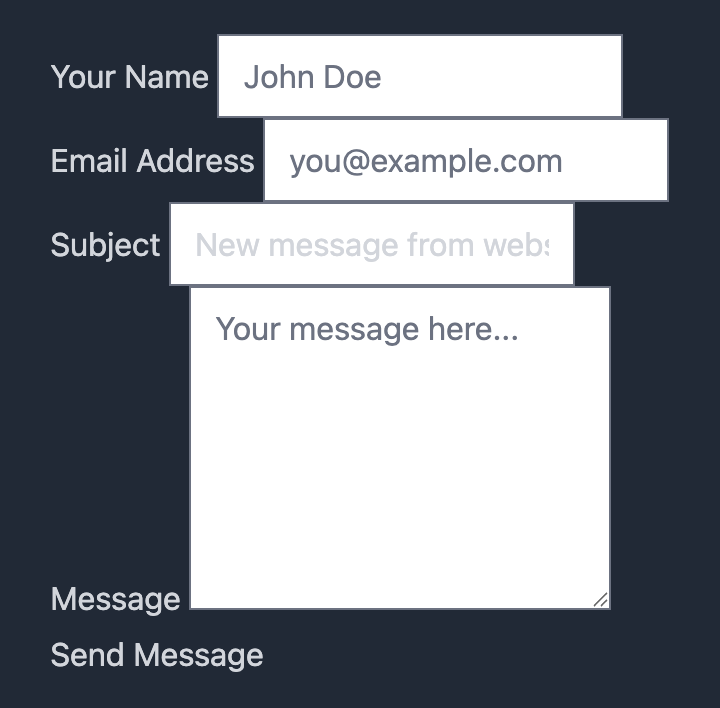
Adding CSS
File: assets/css/custom.css
.contact-form {
  max-width: 550px;
  margin: 2rem auto;
}

.form-group {
  margin-bottom: 1.2rem;
}

.form-group label {
  display: block;
  margin-bottom: 0.4rem;
  font-weight: 600;
}

.form-group input,
.form-group textarea {
  width: 100%;
  padding: 0.75rem;
  border: 2px solid #ddd;
  border-radius: 10px;
  font-size: 1rem;
  color: #242744;
}

.submit-btn {
  background: #788aa4;
  color: white;
  padding: 0.8rem 1.9rem;
  border: none;
  border-radius: 10px;
  font-size: 1.1rem;
  cursor: pointer;
  transition: background 0.3s;
}

.submit-btn:hover {
  background: #5a6b7c;
}
Code written by grok.
Use it#
Use the shortcode by adding this to any pages
{{< contact-form >}}Like this one here. If you fill this form, I get your message.
Extra safety tip#
The honeypot already stops most bots. For even stronger protection, you can enable Google reCAPTCHA in the Web3Forms dashboard (they support v2/v3) — just add the script and hidden field. I’m starting with honeypot only and will add CAPTCHA if spam ever returns.
Since I use Cloudfare, I am also activiting Page Shield and Bot Fight Mode.
Final Result#
My email address is now completely hidden. Bots see nothing they can harvest. Real humans can still contact me easily. Go to Contact, or the form above.
Lesson learned as a Hugo newbie:
- Never expose your email directly on a public site in 2026. Always use a form with at least a honeypot.
- If you’re building a Hugo site too, copy the code above — it works perfectly.
- Once your email is exposed to spammers, there is no getting it back.
- There is no easy way to get back at spammer.